Push-Up Counter Apps: How They Count and Where Your Video Goes
Push-up counter apps count reps in four ways: the proximity sensor notices you come close, the front camera follows your face, the camera watches your whole body, or a motion sensor on your wrist or back feels the move. Some, like Push Flight in SWADE, make it a game. Ask what counts as a rep, and where the video goes.
In this guide
- What a push-up counter app does, and three questions to ask
- Four ways to count a push-up
- Push-up counter apps compared
- What counts as one push-up? Every app has its rule
- Test any counter before you trust it
- Where does the video go?
- When the counter is a game
- Which one fits you
- Push Flight: SWADE's push-up counter is a game
- Your camera stays on your phone
- What this guide doesn't cover
- Frequently asked questions
What a push-up counter app does, and three questions to ask
A push-up counter app counts your reps so you don't have to, and usually keeps your history and your best set.
When we searched "push up counter app" on Google on October 20, 2026, the top three results were store listings for two apps, one of them on both the App Store and Google Play. Both apps also bundle a plan, a leaderboard and a streak. Their listings say in a line how they count, but not where the camera picture is processed; their privacy policies give part of the answer, for the iPhone. Further down: a Reddit thread, and a comparison by one app's makers, with theirs first. Google's suggestions for nearby searches went wider: "push up counter camera", "pushup counter online", even "push up app blocker".
This guide stays on the counting. Three questions sort the apps out:
- Where does the phone go? Under your face, standing in front of you, on your wrist, on your back.
- What counts as one push-up? Your face near the phone, a deep enough drop, a push-up on your knees?
- Where does the video go? Counted on the phone or in your browser, and does anything leave: a clip, a duel, a photo?
Four ways to count a push-up
1. The proximity sensor notices you come close. The phone lies flat under your face. The sensor that darkens the screen during calls picks up your face coming near: that's one. Push Up Counter - 100 Pushups, by Foxyfitness, counts "by the proximity sensor or your nose". A simple setup, but a proximity sensor knows one thing: something came close.
2. The front camera follows your face. It measures how close your face comes to the phone. Foxyfitness's app does this too: its site puts the phone flat on the floor, your "nose/eyes" at the top of the screen. pushr counts "while looking at your iPhone"; its privacy policy says it tracks "the distance from your face to the phone". Puuush brought its face counter back on October 21, 2026, as an option for people who used the app before version 6.0.
3. The camera sees your whole body. The phone stands on the floor in front of you, or leans on a wall, and pose tracking follows your shoulders, elbows and hips. Since its October 18, 2026 update, Puuush (Push Up Counter & Tracker on the App Store) counts "with your whole body, not just your face"; PushApp reads your elbow angle. Most push-up games we found count this way too. Some do it in a web page, with nothing to install: Motion Coach has a free push-up counter with form checks and audio cues, "no signup required", and PushApp has a web version.
4. A motion sensor feels the move. Puuush has an Apple Watch app that counts from the watch's motion sensors. Push Up Boss lets you put your phone on your back for "motion-based rep counting", and its site lists the Apple Watch among its counting modes. No camera at all.
Two ways around the app: tap each rep yourself, or count on hardware, like a push-up board or bar with an LED counter.
Push-up counter apps compared
Checked on October 20, 2026, privacy policies on October 21, with US App Store prices. Apps change: check the listing before you subscribe.
| App | How it counts, and where the phone goes | Runs on | Where the video goes, in its words | Price (US) |
|---|---|---|---|---|
| Push Up Counter - 100 Pushups (Foxyfitness) | Proximity sensor, or the front camera watching your "nose/eyes"; phone flat on the floor | iPhone; Android, as Push Up Counter and Tracker | Policy: on iPhone, TrueDepth camera readings "not sent to our servers"; Android: not said | Free download; PRO $3.99 a month |
| Puuush (Push Up Counter & Tracker) | Whole-body camera, phone on the floor or against a wall, or the face counter for pre-6.0 users; each rep judged STRICT or REP; a watch app | iPhone, Apple Watch | Policy, on camera counting: "No photo, video or face data is recorded, stored or sent"; a video story you can share | Free download; Pro $3.99 a month |
| pushr | Front camera on your face, while you look at the phone | iPhone | Policy: "no data leaves your phone"; label: "Data Not Collected" | Free download; in-app purchases |
| PushApp | Camera on your elbow angle, phone propped to see your hands, shoulders and hips: "Half-reps don't count." | iPhone, Android, browser | Counting on the phone; video leaves for a clip or a duel you choose, and a few camera images if you enter its cash challenge | Counter free; Pro in-app |
| Motion Coach | Camera, with form checks | Browser | Site: "directly in your browser"; Policy: for form correction, images with your face masked are processed by "Google AI (Gemini) in the United States" | Free, no signup |
| Push Up Boss | Camera, a tap, the phone on your back, or an Apple Watch | iPhone, Apple Watch, Android | Policy: on iPhone, footage "never stored, transmitted, or shared"; Android: not said; the listing adds optional video recording | Free, with ads; Premium Lifetime $4.99 |
| Pushup RPG | Camera, phone propped up; each rep hits a monster | iPhone, Android | "No video is ever sent anywhere"; an optional clip leaves only if you share it | Free download; membership $9.99 a month |
| SWADE, Push Flight | Camera on how far your shoulders drop, phone upright on the floor, never flat | iPhone and Android, coming soon | On the phone: no image leaves it | Coming soon. Free, one energy per game; Premium optional |
Sources: each app's US App Store listing (text, in-app purchases), its Google Play listing where we found one, foxyfitness.app, trypushapp.com and motion-coach.com. "Policy": the privacy policy the App Store listing or the site links to. "Runs on": Android only where we found a Google Play listing. Two names to tell apart: "Push Up Counter and Tracker" (Foxyfitness, Google Play) and "Push Up Counter & Tracker" (Puuush, App Store). "Not said": neither the listing nor the policy says. "A month": only where the listing names a monthly plan. Apple, iPhone, App Store, Apple Watch, watchOS, TrueDepth, Google, Android, Google Play, Gemini, Reddit, Foxyfitness, Puuush, pushr, PushApp, Motion Coach, Push Up Boss, Pushup RPG, PUPG, Push Up Duel, RepChamp, Captain Push-Up, PushArena, TikTok and Instagram are trademarks of their respective owners. SWADE is independent and is not affiliated with, sponsored or endorsed by any of them.
What counts as one push-up? Every app has its rule
A counter doesn't see a push-up. It sees a number cross a line: a distance to the screen, an elbow angle, a drop of the shoulders. Where it draws the line is its rule, and two apps can give you two totals for the same set.
- Close enough. A proximity or face counter measures how close your face comes to the phone, not what your arms did.
- Depth, or nothing. PushApp counts "only the reps that hit depth".
- Judged. Puuush calls each rep STRICT or REP, "with the reason when one falls short".
- Deeper is worth more. In PUPG, a push-up game, you "go deeper for bonus damage".
- Part of one. A counter can credit a shallow rep for its share instead of dropping it. Push Flight does.
On your knees? Check that your counter takes them. Motion Coach has a separate kneeling checker. Puuush says its new camera counter "catches push-ups on the knees, for a leaderboard you can trust", but not whether it counts them: step 6 of the test below will tell you. Push Flight counts them like any other. Not there yet? Can't Do a Push-Up Yet? goes from the wall to the floor.
Test any counter before you trust it
Every listing promises to count; your living room decides. Before you trust a counter with your records, try to fool it:
- Set up exactly as the app asks.
- Five full push-ups, slowly, counting out loud. It should say five.
- Two half push-ups, stopping halfway down. Nothing or part of one each, depending on its rule; never two full ones.
- Hold your plank, arms straight, and nod twice. Nothing should count.
- Lift your hips and dip your head, arms still straight, twice. A counter that only watches your face may count those.
- On your knees, if that's how you train: two more. They should count, if the app takes them.
A fair counter gives you five, its rule for the halves, zero for steps 4 and 5, and your knee push-ups if it takes them. One that gives you more flatters you today and spoils your records tomorrow; one that misses real reps takes away the ones you earned.
If push-ups hurt your wrists, shoulders or back, skip the test and ask a doctor first.
Where does the video go?
A camera counter films you at home. Does the picture stay on the phone? Some apps say so in their listing, others only in the privacy policy the listing links to. What each said on October 20 and 21, 2026:
- On the phone, says the listing. Push Up Duel: "Nothing is recorded and nothing leaves your phone." RepChamp: "your workout video is not uploaded." PushArena: "No video is recorded or uploaded."
- On the phone, says the privacy policy. PUPG: "No images, video, or visual data is ever stored, recorded, uploaded, or transmitted off your device." pushr: "no data leaves your phone", and its label reads "Data Not Collected". Push Up Counter - 100 Pushups: on iPhone, what it reads from the TrueDepth camera to detect your "presence and distance" is "not stored on your device, not sent to our servers"; for Android, the policy doesn't say.
- In your browser, says the site; the policy says more. Motion Coach: its site says tracking runs "directly in your browser"; its privacy policy says that, for form correction, images with your face masked and the background removed are processed by "Google AI (Gemini) in the United States".
- On the phone, except what you choose. Pushup RPG: "no video is ever sent anywhere", and its optional clip recording "stays on your device until YOU share it". Captain Push-Up: "Camera images stay on your iPhone: the clip of your round only leaves it if you choose to share it." PushApp: video leaves for a clip you render while signed in, or a live duel where you both turn on split screen. Its privacy policy, updated August 12, 2026, adds "a few small camera images", kept for a human to review fair play, from players who enter its cash challenge.
- On the phone, says the policy, and the listing offers a video. Puuush's policy, effective September 30, 2026, before its whole-body update, says of its camera counting: "No photo, video or face data is recorded, stored or sent". Its listing offers to share "a video story of your last push-ups". Push Up Boss's policy, for its iPhone app: camera footage is "never stored, transmitted, or shared". Its listing offers optional "workout video recording", and an avatar mode that hides your camera view.
Then read the privacy label, filled in by the developer: App Privacy on the App Store, Data safety on Google Play. Four App Store labels listed "Photos or Videos" among the data linked to you: Push Up Counter - 100 Pushups, PushApp, Pushup RPG and RepChamp. On Google Play, three of the five labels we read listed them: PushApp's among the data it may collect, Pushup RPG's and RepChamp's among the data they may collect and share with third parties, for app functionality. No label says which; the policies name some: a profile photo (Foxyfitness, RepChamp), an avatar photo members can upload (Pushup RPG), the contest images (PushApp). Ask the developer about the rest: does "on-device" cover the video, or only the counting? Are duels, clips and contests each your choice? And check the policy's date and the phone it names: one older than the app's last update may not cover its newest features; one written for the iPhone may not cover Android.
When the counter is a game
A game gives each push-up a job, so you stop counting and start aiming. Four kinds stood out:
- Fights: each rep hits a monster or a boss (Pushup RPG, PUPG, Push Up Duel, Push Up Boss, PushArena).
- Live duels: two players, rep against rep (Push Up Duel, RepChamp, and modes in PushApp, Push Up Boss, Pushup RPG and PushArena).
- On the beat: each rep keeps the rhythm (Puuush's Push-Ups On The Beat, Push Up Boss's Rhythm Quest).
- Flying through gaps: your height in the plank sets a character's height. Captain Push-Up is one, and it doesn't say it counts push-ups: its camera tracks "the height of your eyes", and it times your plank. Push Flight, in SWADE, counts them.
PushArena adds an optional lock: its Focus Shield blocks apps like TikTok and Instagram "until you earn them back with reps".
Ask a game the same three questions, plus one: does it count push-ups, or only follow your height? More games your body plays, push-ups or not: Fun Fitness Games for Adults.
Which one fits you
| Your situation | Best fit | Why |
|---|---|---|
| You want a quick tally | A proximity or face counter | The phone lies under your face: nothing to prop up |
| You want depth judged | A whole-body camera counter | It sees your elbows and shoulders |
| You train away from your phone | A watch app | It counts from your wrist: check that yours does |
| You don't want to install anything | A web counter | It opens in your browser; check where the video goes |
| You get bored of counting | A push-up game | Each push-up has a job, and a record is waiting |
| Pain in your wrists, shoulders or back | A doctor first | A counter doesn't replace medical advice |
| You're under 15 | Not SWADE | SWADE is made for players 15 and up |
Push Flight: SWADE's push-up counter is a game
SWADE is a fitness game app, coming soon to iPhone and Android: the phone's camera turns your moves into the controller. In the Runner, you jump, squat and step aside; Push Flight is the push-up game.
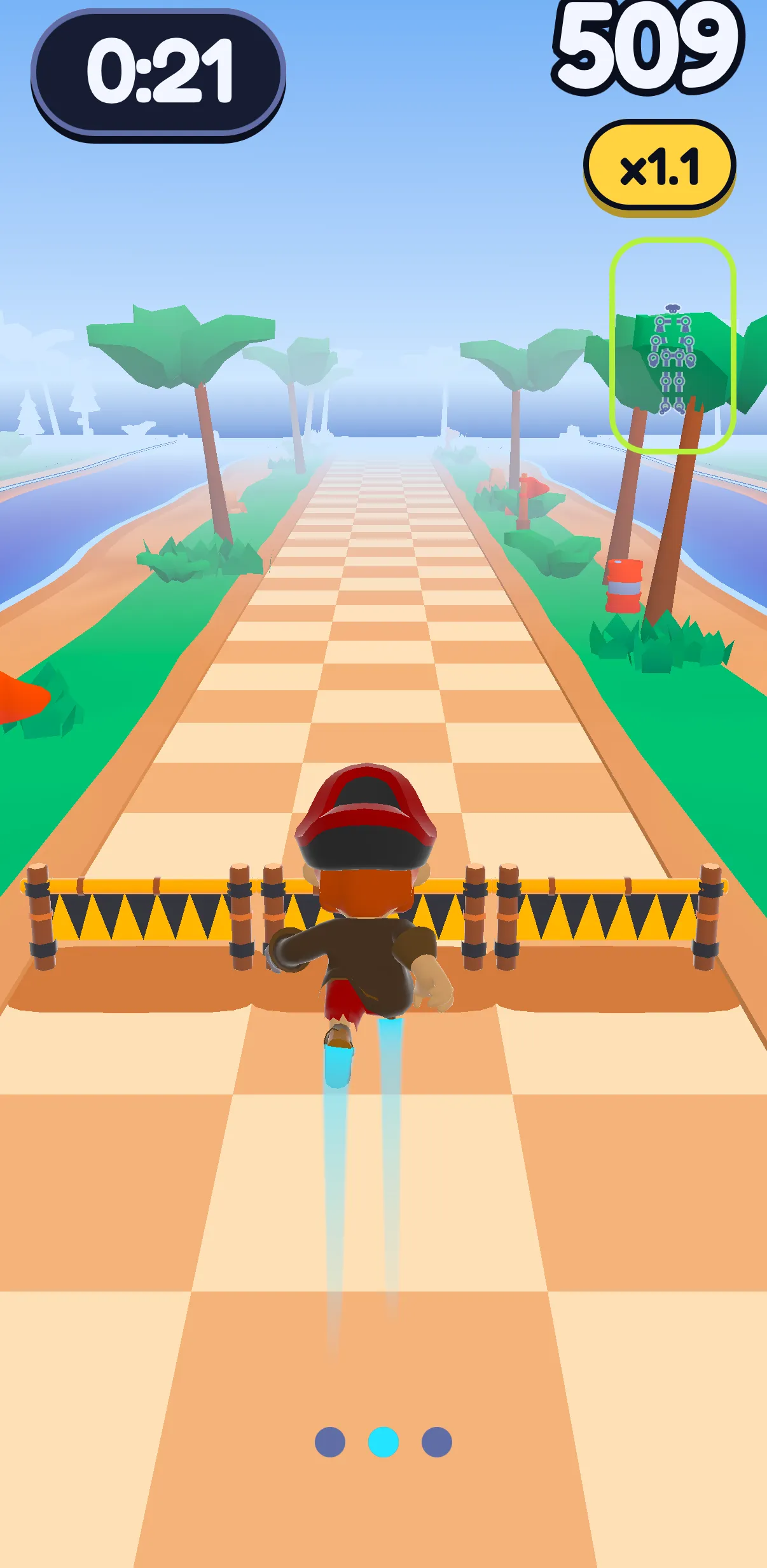
How you play. Stand your phone upright on the floor, against a wall or a box, never flat: flat, it would only see the ceiling. Get into a plank facing it. You see through the eyes of Sway, SWADE's weasel, flying a jetpack between floating islands. Go low or high to fly through the gates: your head sets Sway's height.
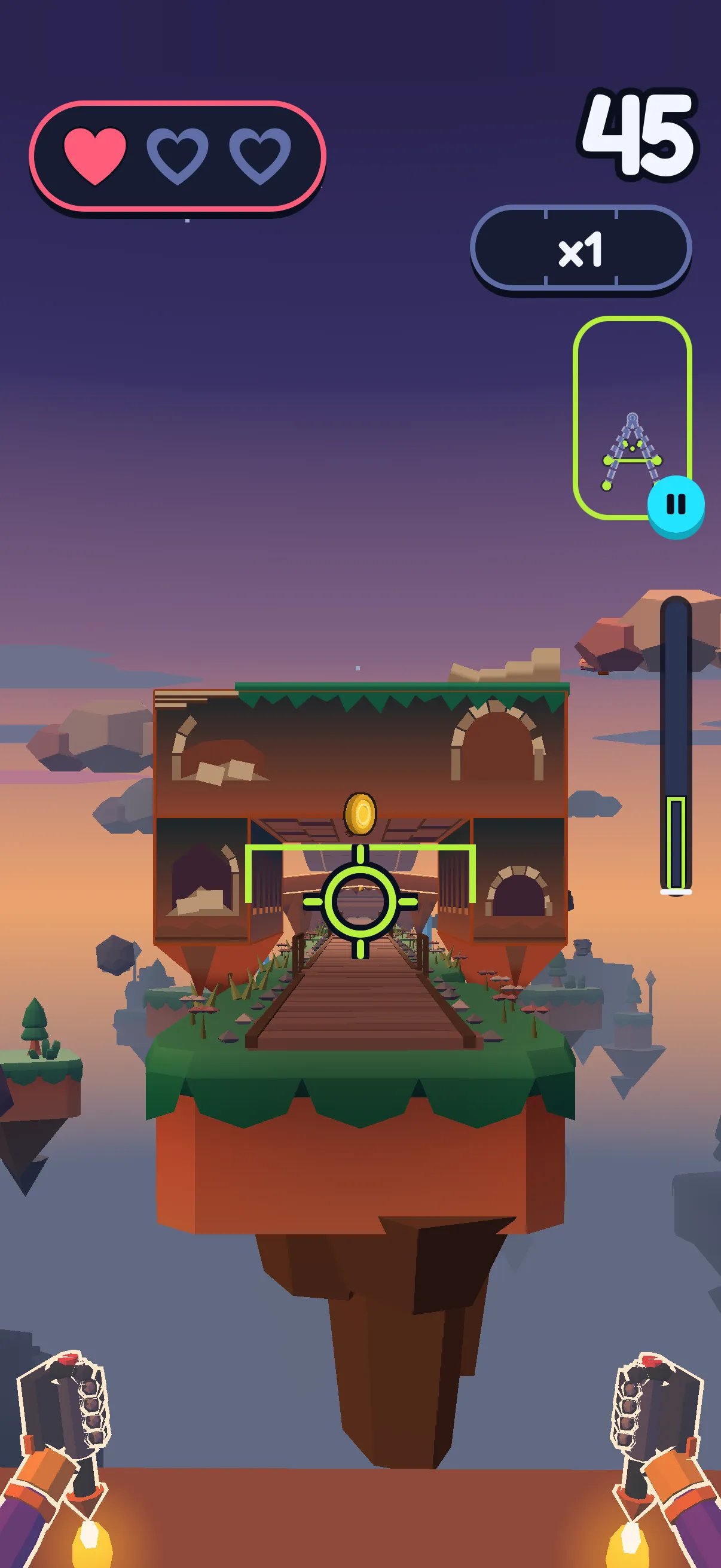
What counts. Sway follows your head; the count follows your shoulders: how far they drop, measured against the gap between your shoulders and your wrists.
- A full drop counts as one, a shallower one as its share.
- Straight arms never count, however low your shoulders go: "Bend your elbows! That doesn't count."
- A nod of the head doesn't count.
- Hands out of the picture? "Push-ups on hold." The game goes on, and counts again once it sees them.
- Push-ups on your knees count the same, for the same records: the easy version, not a cheat.
Before you fly: Phone, Plank, Push-up. Hold your plank still, then do one full setup push-up: a half doesn't pass ("Go lower!"). Then: "One push-up, take off!"
Your total comes at the end, on the card, rounded down: never more than you did. There's no live count on screen. The setup push-up and the one that restarts a game aren't in it; the one you take off with is. Records are kept per mode and per level: your best score and your most push-ups. The This month card on your Profile adds up the month's push-ups, jumps and squats. A game you stop, or lose, after only a few gates isn't saved, so it counts toward neither.
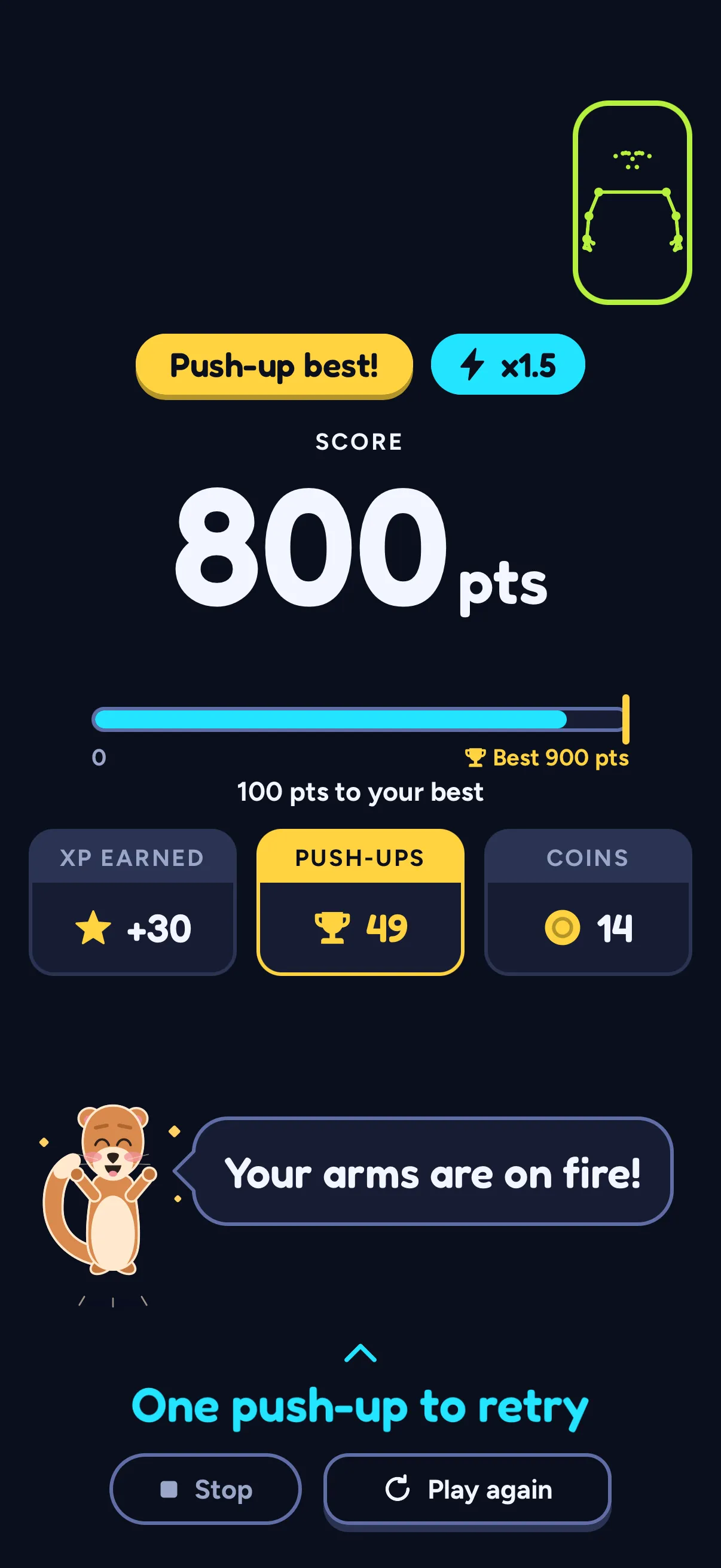
Two modes: Timed, where you can't crash out, and Elimination, with three hearts. Your very first round is a guided warm-up that costs no energy.
What it doesn't do: no push-up plan, daily target, challenge or leaderboard, no web version or watch app, and it won't lock your other apps. Push Flight is played from the Play tab, not the daily Path; each game spends one energy, which refills over time.
Your camera stays on your phone
In SWADE, the camera and the pose tracking run on the phone: no image, no video, not a single frame leaves it, to us or anyone. Only the outcome of a game travels: a score, your push-ups. Two exceptions, while "Help improve SWADE" is on in Settings, as it is at first: a few numbers on how the camera followed you in Push Flight, and now and then a short snippet of your moves drawn as a stick figure, never an image, never with your name. Details in the privacy policy.
What this guide doesn't cover
- How many push-ups you should do. No numbers here: a doctor or a coach who knows you can say.
- Pain. For that, a doctor or a physical therapist.
- Programs, challenges and phone locks: apps that plan your push-ups over weeks, or only unlock your phone once you've done them.
- Calories and weight. We don't talk about them here.
- Playing on a TV or computer. SWADE plays on the phone screen.
Frequently asked questions
What is the best app for tracking push-ups?
The one that counts the way you train: a proximity or face counter for a quick tally, a camera counter for depth, a watch app away from your phone, a game if counting bores you. Test it with full, half and fake push-ups before you trust its records.
Is there an app that counts push-ups with the camera?
Yes, many. Most of those we found want the phone standing on the floor in front of you; a few watch your face; some, like Motion Coach, run in a browser, which doesn't mean the video stays there. Then check where the video is processed: read the listing or the site, and the privacy policy it links to.
Is there a push-up counter app for Android?
Yes. On October 20, 2026, four of the apps in our table were on Google Play: Push Up Counter and Tracker (the Foxyfitness app), PushApp, Push Up Boss and Pushup RPG. Motion Coach runs in a browser. SWADE is coming soon to Android and iPhone.
Can an Apple Watch count push-ups?
Some watch apps say they can. Puuush says its watch app counts push-ups with the watch's motion sensors, and Push Up Boss's site lists the Apple Watch among its counting modes. On October 20, 2026, Apple's user guide for watchOS 27 listed strength workouts in the built-in workout app, but said nothing about counting reps. Test a watch app like any counter before you trust its records. SWADE doesn't run on a watch.
Does SWADE count push-ups in real time?
It counts each push-up as you go, but shows no count while you fly: your total appears on the card at the end of the game, rounded down, never more than you did.
Is SWADE free?
Yes. The day's session is free, with XP and your streak. Playing more spends energy, which refills over time. Premium is optional: unlimited energy and unlimited day savers, and the yearly plan starts with a 14-day free trial. Push Flight is played from Play: each game spends one energy, except your first, a guided warm-up.