Best Workout Apps for Beginners at Home: Programs, Videos, or a Game That Starts Easy
The best beginner workout app is the one that fills your gap. New to the moves? A video class or guided plan: Nike Training Club, free, has both in the US and UK. Want a plan made for you? A coach, AI or human. Keep drifting off? Pick one you’d enjoy: a class, or a camera game like SWADE.
In this guide
- What a beginner needs from a workout app
- Five kinds of workout apps
- What each kind asks you to bring
- Seven apps beginners hear about, read on their listings
- Start easier than you think
- At home: gear, floor and the people downstairs
- Does the app film you? Where the video goes
- Which one fits your situation
- SWADE: a game that starts easy
- What this guide doesn’t cover
- Frequently asked questions
When we searched on October 20, 2026, Google completed “best workout app for beginners” with “at home”, “free” and “reddit”, among others, and the lists near the top handed out awards: best overall, best free, best for strength. This guide sorts apps by what each kind asks you to bring instead, then reads seven of them on their listings.
What a beginner needs from a workout app
Four things, and each kind of app brings only some of them:
- Knowing what to do. Which moves, in what order, and how each one looks done right.
- A start that’s easy enough. A first workout you can finish, so there’s a second.
- A fit with your home. Your gear, your floor, the neighbors below.
- A reason to come back. A plan, a coach, a score.
One beginner put the first gap into words. In a June 2023 r/beginnerfitness thread titled “Best Workout App for Rookie”, the poster asks for an app that explains how to do each exercise and isn’t too complicated. When someone suggests a workout log, the poster asks back whether it gives you a plan: “as a beginner I don’t know where to start.” That’s the catch with a log. It can show how each exercise looks, but you decide what goes in it: it’s great once you know what to write.
Five kinds of workout apps
They don’t do the same job:
- Video classes. A trainer on screen, and you follow along. Peloton, Apple Fitness+ and Nike Training Club’s trainer-led classes work this way.
- Guided plans. Workouts written out: the moves, a rep count or a timer, a demo for each. Nike Training Club calls its version “whiteboard workouts”.
- Coaches. You answer a few questions, a coach builds your plan, then adjusts it from what you log and report. In Freeletics and SHRED, the coach is an AI. Boostcamp’s listings call its questionnaire plan an AI coach; its site marks that plan Pro. Caliber’s Premium Coaching pairs you with a personal trainer.
- Workout logs. A notebook for your sets and their history. Caliber’s free version is one, with video tutorials for the exercises; Boostcamp adds a library of ready-made programs.
- Camera games. The phone, propped up, sees your moves: the jump, the squat, the push-up are how you play. SWADE, our game, is one; it’s coming soon.
What each kind asks you to bring
None of the first three results for this search sorted apps this way when we read them, on October 20, 2026. Each kind fills one gap and hands the others back to you.
| What it asks of you | Video class | Guided plan | Coach, AI or human | Workout log | Camera game |
|---|---|---|---|---|---|
| Knowing what to do | Little: you copy the trainer | Some: you pick a plan, then read each move and watch its demo | Little: it picks the moves and shows them | A lot: you pick the exercises or a program; the app shows how they look | Little: a handful of moves, the same every game |
| Your starting point | You pick a class | You pick a level or a program | It asks, then adjusts | You pick the program and the weights | It asks at setup; Timed adjusts between rounds |
| Equipment | Depends on the class | Depends on the plan | What you tell it you own | Weights, mostly | None |
| Floor space | Room to copy the moves | A mat | A mat | Wherever you train | Runner: room to step aside, the phone about two meters away. Push Flight: room for a plank |
| Who knows you did it | It knows you pressed play; a watch can tell more | You: you tick it off | You log it; a human coach reviews it | You: you type it in | The game: it sees each move |
| Money | Peloton, Apple Fitness+: after a trial. Nike Training Club: free | Nike Training Club: free | A free version; the full coaching is paid | Free core, paid extras | The day’s session is free; Premium is optional |
Sorted from the seven apps in the next section, read on October 20, 2026. One app can mix kinds: a column describes the kind, not every app in it. The Camera game column is SWADE, our game, coming soon.
Never trained? Read the first row. Started and stopped before? Read who knows you did it. See how SWADE starts a beginner.
Seven apps beginners hear about, read on their listings
Each of these seven is named in the lists or the Reddit thread near the top of the results; we picked them to cover the four kinds that aren’t ours, and read their listings. No prices: they change by country and offer, and the store shows yours before you pay.
| App | Kind | Where a beginner starts | Without paying | Runs on |
|---|---|---|---|---|
| Nike Training Club | Video classes, guided plans | “Beginner workouts”, and longer programs | Its workouts, with a free Nike Member account; no in-app purchases | iPhone, Android |
| Apple Fitness+ | Video classes | A “Get Started” plan from the activities you pick | A free trial for new subscribers | Apple devices; an iPhone is enough |
| Peloton | Video classes | Classes for any fitness level, with any equipment or none | A free trial for new members, card required | iPhone, Android |
| Freeletics | AI coach, bodyweight | The Coach, paid, fits each workout to your level and feedback | A free version with some bodyweight workouts | iPhone, Android |
| SHRED | AI coach, gym or home | A plan around your goal and gear, “beginner or advanced” | A limited free version | iPhone, Android |
| Boostcamp | Programs, a log, an AI coach | Programs by experience level, beginners included | The program library and the log; its site marks the questionnaire plan Pro | iPhone, Android |
| Caliber | Workout log, human coach | Workouts you build; coach-designed plans in Caliber Plus | The log, and exercise tutorials on video | iPhone, Android |
Read on October 20, 2026: each app’s US App Store and Google Play listings (for Apple Fitness+, apple.com), the Irish and New Zealand App Stores for Peloton, plus onepeloton.com, boostcamp.app and nike.com. Apps change: check again before you subscribe. Nike Training Club, Nike, Apple Fitness+, Apple, iPhone, Apple TV, App Store, Peloton, Freeletics, SHRED, Boostcamp, Caliber, Strong, Fitbod, JEFIT, Garage Gym Reviews, Google, Google Play, Android, YouTube and Reddit are trademarks of their respective owners. SWADE is independent and is not affiliated with, sponsored or endorsed by any of them.
Only Nike Training Club lists no purchase at all. Your country counts too. Nike Training Club’s listings say its video classes are available in the US, the UK and ten other countries, yet Nike’s pages for Canada, Australia, Ireland and New Zealand describe video workouts: check the app itself. Peloton’s app isn’t in the App Store in Ireland or New Zealand. The two logs are built for strength training, though Boostcamp also holds bodyweight routines from Reddit’s r/bodyweightfitness, and Caliber says no gym is required. What “free” covers in Nike Training Club, Boostcamp and Freeletics, among others: our guide to free workout apps.
Start easier than you think
Whatever you pick, five habits make the first workouts the kind you come back to.
- Take the lowest level. Answer for the body you have today. Moving up later feels good.
- Pick fewer days, the same ones every week. Days you keep beat days you skip.
- Try the free part before a trial. Apple Fitness+ and Peloton both say theirs turns into a paid plan unless you cancel in time.
- One app at a time. Two plans that don’t know each other make two half-plans.
- Stop if it hurts. If the pain comes back, ask a doctor or a physical therapist before you go on.
At home: gear, floor and the people downstairs
- Gear. None needed to start. Nike Training Club has home workouts made for a lack of equipment, Peloton says “no equipment needed”, and Apple says most Fitness+ workouts need none. Peloton’s bike, treadmill and rowing classes need the machine (any brand, says Peloton), and logs are built for lifting.
- Floor. A guided plan fits on a mat. SWADE’s Runner needs room to step aside, with the phone propped about two meters (six and a half feet) away, screen facing you, so it sees you head to toe. Push Flight needs room for a plank, the phone standing on the floor, facing you, never flat.
- The screen. A video class wants one you can see from the floor: Nike Training Club casts to a bigger screen, Apple Fitness+ plays on Apple TV.
- The neighbors below. Jump landings are the thuds that travel down. Every jump has a version with one foot on the floor: our no-jumping cardio guide has a swap for each.
Does the app film you? Where the video goes
A video class films the trainer, not you. On the listings and pages we read, none of the seven apps above says the camera follows your workout. On Google Play, where Apple Fitness+ isn’t listed, four of the other six ask for the camera permission, and none of those four says what for: a permission alone doesn’t tell you.
Some coaching asks for a video on purpose. Caliber’s Premium Coaching lists video form reviews: you record yourself and send the video to your coach, says Garage Gym Reviews’ beginner list (updated September 25, 2026). That video leaves your phone by design, for a person to watch. A camera app films you too: that’s how it sees a squat. So ask three questions:
- Is the video processed on the phone, or sent somewhere?
- Does “on-device” cover the video, or only the counting?
- What do App Privacy (App Store) and Data safety (Google Play) say? The developer fills them in.
How camera push-up counters answer, app by app: our push-up counter guide.
Which one fits your situation
| Your situation | Best fit | Why |
|---|---|---|
| You don’t know any moves yet | A video class or a guided plan | You copy a trainer, or follow a demo for each move |
| You want the plan made for you | A coach, AI or human | It picks the next workout from what you report |
| You already lift, or want to | A program library and a log | Ready-made programs, every set written down |
| You start strong, then drift off | The one you’d open for fun | A trainer you like, a coach who checks in, or a game where a record waits to be beaten |
| You’d rather not pay yet | A free part first | Nike Training Club lists no purchase; our free workout apps guide reads seven free deals |
| Your knees or back want a break from jumping | SWADE with jumps off | One setting takes the jumps out of every session; squats stay |
| Pain that won’t go away | A doctor first | An app doesn’t replace medical advice |
| You’re under 15 | Not SWADE | SWADE is made for players aged 15 and up |
SWADE: a game that starts easy
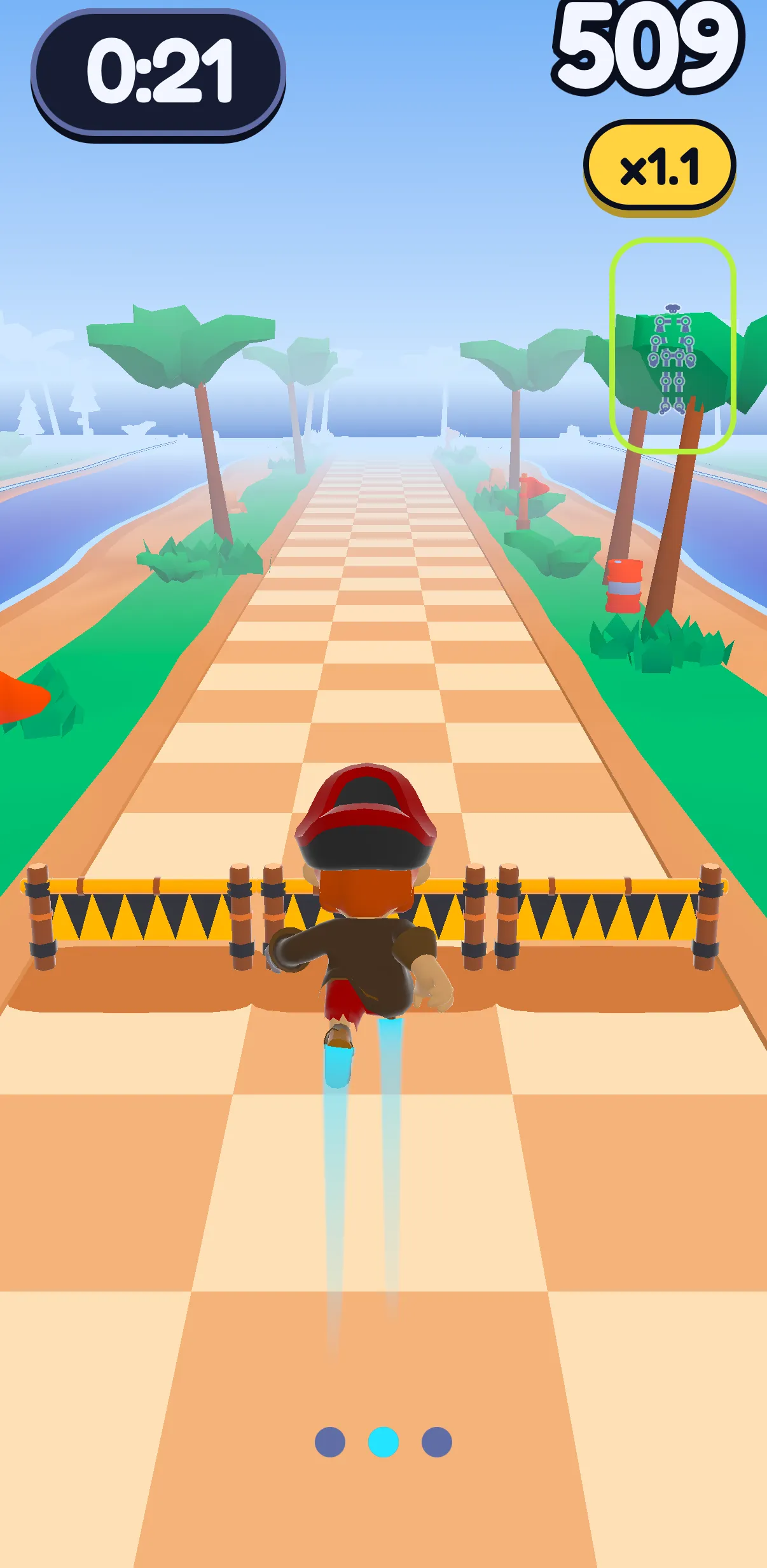
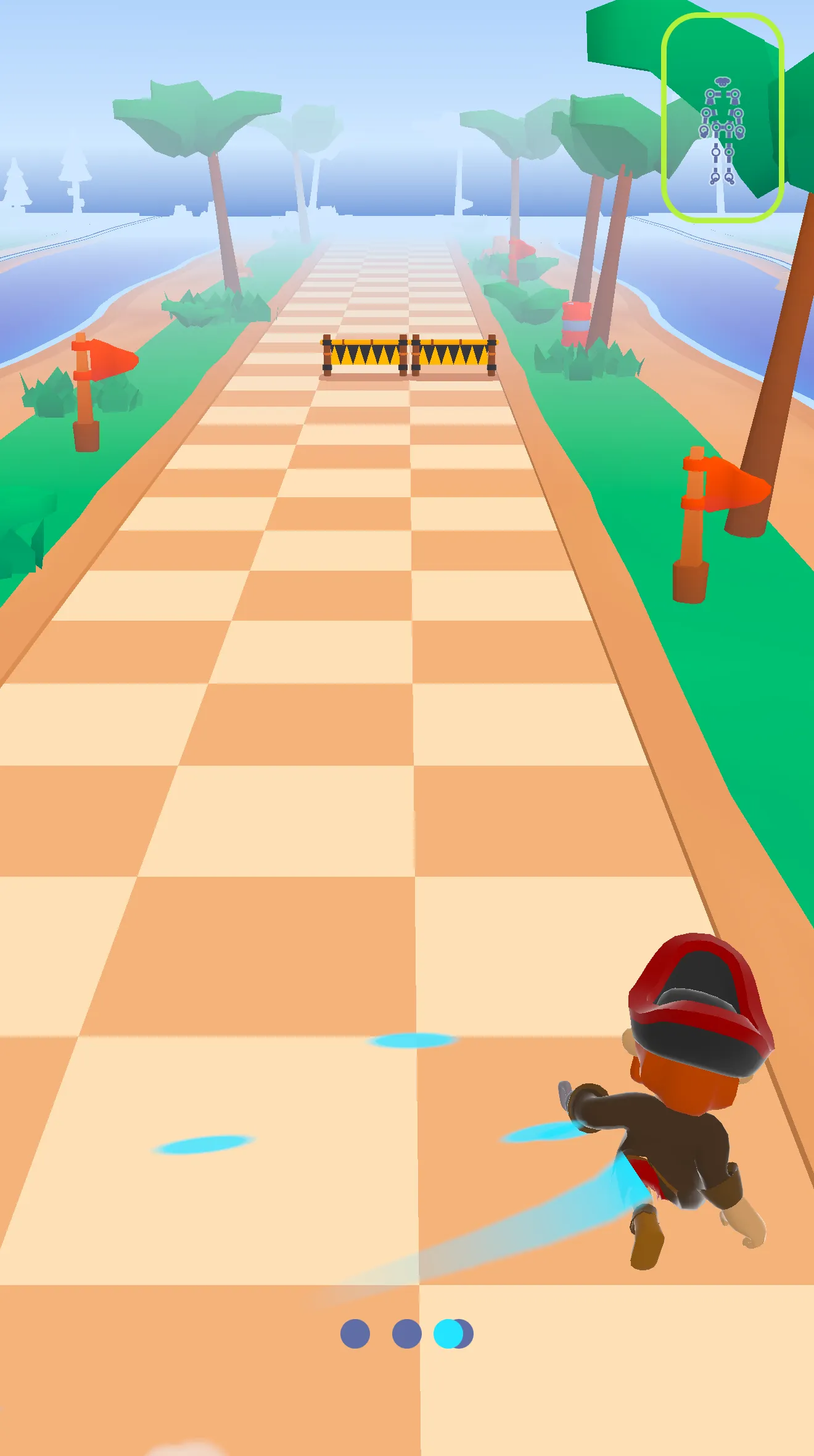
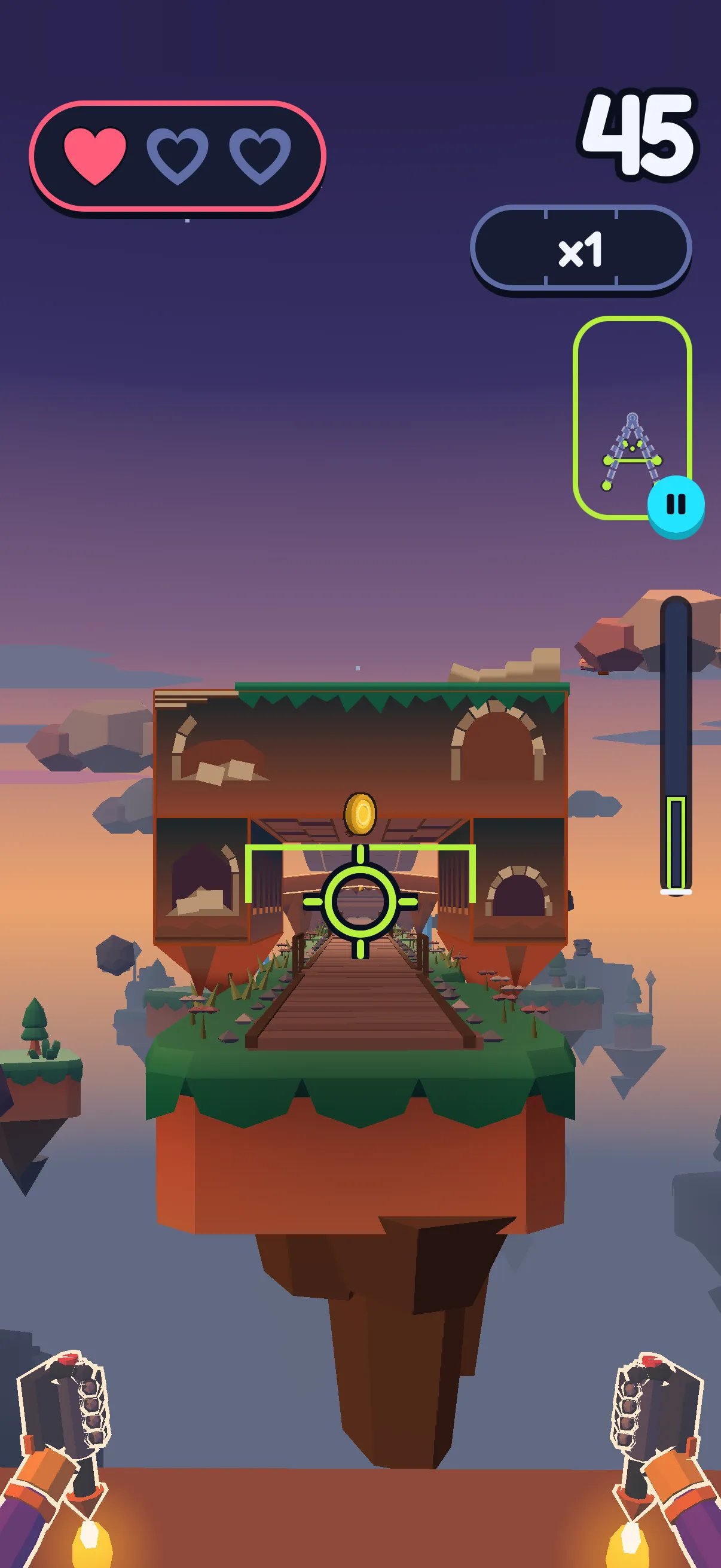
SWADE is our game, so we read it the same way. It’s a fitness game app for iPhone and Android, coming soon: it isn’t in the stores yet. In the Runner, a pirate races down three lanes: you jump the barriers, squat under the gates, step aside to switch lanes. In Push Flight, you hold a plank facing the phone, which stands on the floor, and go low or high in your push-ups to fly Sway, SWADE’s weasel, through the gates.
Day one, if you hardly ever work out
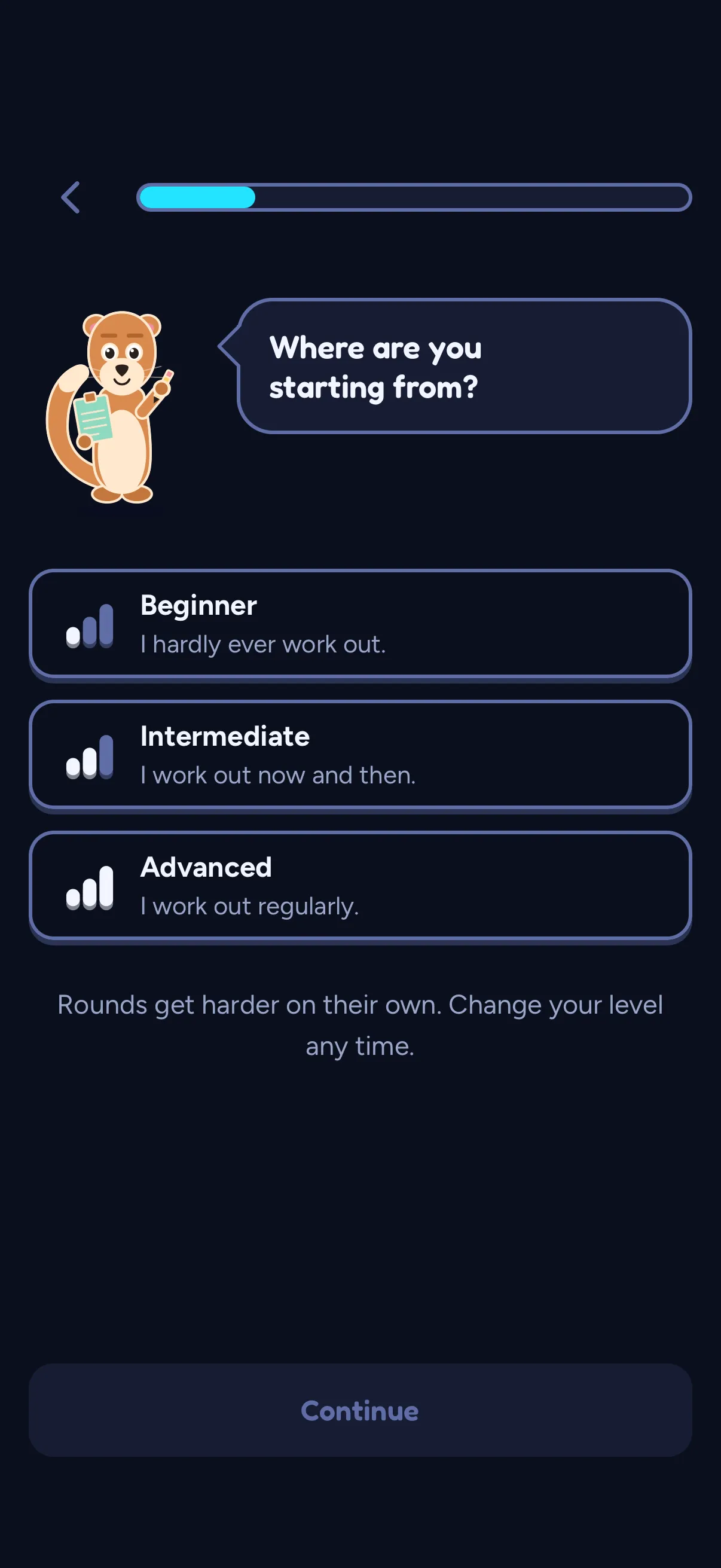
- Sway asks: “Where are you starting from?” Answer “I hardly ever work out.” and you start at Beginner. You can change it any time.
- You pick 3, 5 or 7 days a week. Rest days count for your streak on their own.
- “Anything I should go easy on?” Knees or back, and your sessions drop the jumps. Later, it’s in Profile › Settings › Health.
- Your first try is squats on the beat.
- Then your Path holds the day’s session: Runner rounds in Timed mode, sized to your level, their length shown before you start.
It starts easy, then follows you. In Timed, a hit only breaks your combo, and the game adjusts between rounds, never during one. Elimination, with three hearts, keeps the level you picked.
Push Flight opens with a warm-up. Your very first game is guided: “First, a warm-up!” Slow, wide gates, easy coins, no hearts, and it costs no energy. It comes once and counts toward no record. Each game starts on a still plank and one full setup push-up, on your knees if you like. The next one takes off: “One push-up, take off!” Push-ups on your knees count the same, records included; arms locked straight never do. Can’t do one yet? Our guide for when you can’t do a push-up starts at the wall.
What it isn’t. No coach and no form correction: SWADE checks that a move happened, and in Push Flight how low you went, not your technique. No strength program, no video class, no meal plan.
What’s free. The day’s session, with XP and your streak. Playing more, Push Flight included, spends energy, which refills over time. After three games, SWADE asks for an account, so your progress doesn’t live on one phone only.
Your camera stays on your phone. The camera and the pose tracking run on the phone: no image, no video, not a single frame leaves it. What travels is the outcome: a score, your jumps, squats and push-ups. With “Help improve SWADE” on, as it is at first, a few numbers on how the camera followed you in Push Flight go too, and so do short stick-figure clips of your moves, anonymous and on Wi-Fi only (33 points, never an image). You can turn it off in the settings. Details in the privacy policy.
What this guide doesn’t cover
- Pain, injuries, rehab. For those, a doctor or a physical therapist first.
- Calories and weight. We don’t talk about them here.
- Which lifting program to run. That’s for a program library or a coach.
- Running and yoga apps, smartwatches. This guide stays with general workouts at home.
- Other picks from the Reddit thread. Strong, Fitbod and JEFIT, whose listings we didn’t read for this guide, and YouTube channels or a written program, which aren’t apps.
- Playing on a TV or computer. SWADE plays on the phone screen.
Frequently asked questions
What is the best workout app for beginners?
The one that fills your gap. New to the moves? A video class or a guided plan: Nike Training Club has both, free with a Nike Member account, though its listings say the video classes are available in the US, the UK and ten other countries. Want a plan made for you? A coach, AI or human; in the apps we read on October 20, 2026, the full coaching is paid. Keep drifting off? Pick one you’d enjoy: a class you like, or a camera game like SWADE, which starts at your level.
What’s a good free workout app for beginners at home?
On October 20, 2026, Nike Training Club listed no in-app purchases, with beginner workouts and home workouts made for a lack of equipment. Freeletics, SHRED and Caliber have free versions; Boostcamp keeps its program library and log free. Seven free apps, read deal by deal: our guide to free workout apps.
Can a workout app tell if I’m doing an exercise right?
Only if someone or something sees you. A class, a plan or a log shows the move, and you compare. Some human coaches review a video you send of yourself. A camera app sees your body: SWADE checks that a jump, a squat or a push-up happened, and how low each push-up went, but doesn’t coach your technique. If a move hurts, stop; if it keeps hurting, see a doctor.
Do I need equipment for a home workout app?
Not to start. On October 20, 2026, Nike Training Club had home workouts made for a lack of equipment, Peloton said no equipment is needed, and Apple said most Fitness+ workouts need none. Logs are built around weights, and Peloton’s bike, treadmill and rowing classes need the machine. SWADE needs your phone, propped up, and a bit of floor.
Is SWADE a workout program?
No, it’s a game: the Runner, where you jump, squat and step aside, and Push Flight, played with push-ups. Your Path gives you the day’s session at your level, but there’s no strength program, no video class and no coach. It’s coming soon to iPhone and Android.
Is SWADE free?
Yes. The day’s session is free, with XP and your streak. Playing more spends energy, which refills over time. Premium is optional: unlimited energy and unlimited day savers, and the yearly plan starts with a 14-day free trial.